

Introduction
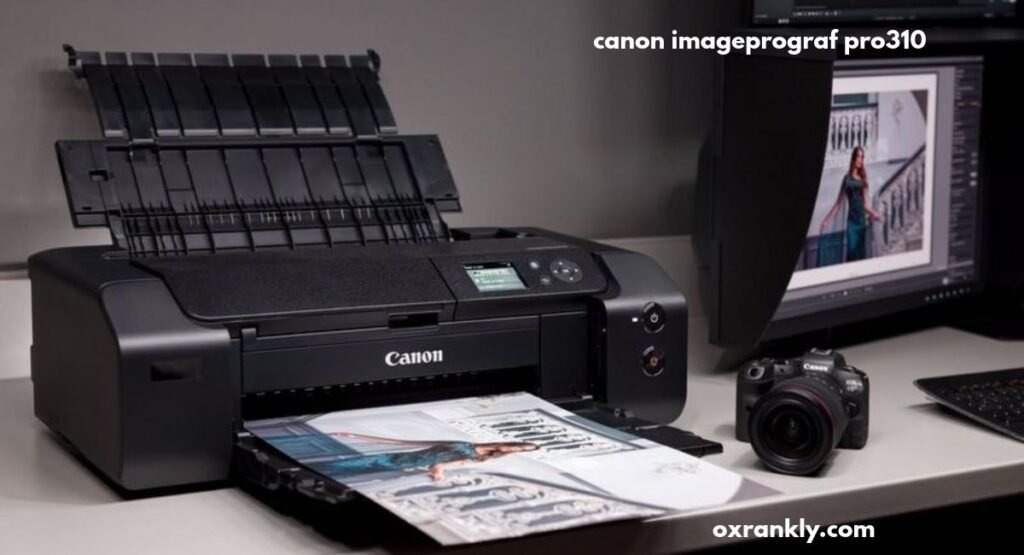
The canon imageprograf pro310 is a professional photo printer designed for photographers, creative professionals, artists, and photography enthusiasts who want to produce high-quality prints at home or in a small studio. When digital photography has become an essential part of everyday life, having a reliable printer that can reproduce images with impressive detail, accurate colours, and professional-looking finishes is valuable.
For photographers, printing an image is about more than simply transferring a digital file onto paper. It involves preserving details, maintaining colour accuracy, producing smooth tonal transitions, and ensuring that the final result reflects the original photograph as closely as possible. A dedicated photo printer can make a significant difference in achieving these goals.
Canon has developed a reputation for producing imaging equipment, cameras, lenses, and printing solutions for different types of users. Its professional photo-printing range is particularly relevant to people who want more control over their printed photographs.
In this detailed guide, we will explore the canon imageprograf pro310, including its design, printing technology, colour reproduction, connectivity, paper compatibility, practical applications, advantages, limitations, and the things buyers should consider before purchasing it.
What Is the Canon imagePROGRAF PRO 310
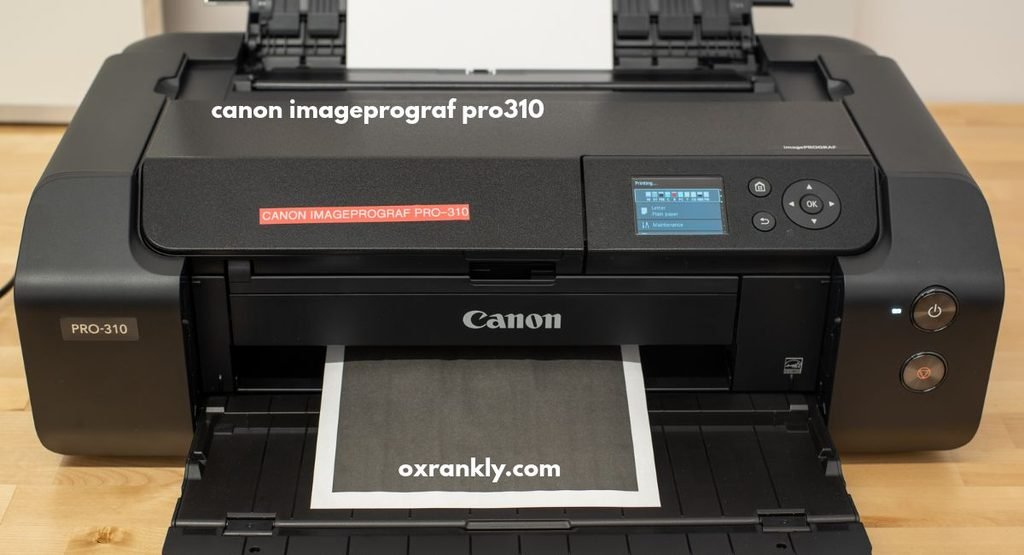
The Canon imagePROGRAF PRO-310 is a 13-inch professional wireless inkjet photo printer developed for people who take photo quality seriously. Unlike standard office printers, which are primarily designed for everyday paperwork, this model focuses on producing detailed photographs, fine-art prints, creative projects, and gallery-quality images.
One of its most important characteristics is its ten-ink configuration, consisting of nine pigment colours and a Chroma Optimizer. This combination is designed to improve colour reproduction, tonal accuracy, and the appearance of printed photographs.
The printer is particularly interesting for photographers who want to produce physical copies of their work without depending on an external printing studio. It supports a range of paper types and sizes, including large-format prints measuring up to 13 x 19 inches.
Another important feature is its ability to produce borderless photographs. This allows users to create professional-looking images without unwanted white edges, making the printer suitable for portfolios, framed photographs, and presentation materials.
Design and Build Quality
The design of a professional printer matters because photographers often need a dependable machine that can remain in their workspace for years. Canon has designed the PRO-310 with a practical desktop structure that accommodates different paper-feeding requirements.
Its relatively substantial body reflects its professional printing capabilities. Measuring approximately 25.2 inches in length, 15 inches in width, and 7.9 inches in height when closed, it requires more desk space than an ordinary home printer.
The machine weighs approximately 31.6 pounds, meaning users should choose a stable surface before installing it. Although it is designed for desktop use, its size makes it more suitable for a dedicated workspace, photography studio, or home office than a small desk.
The exterior design is relatively straightforward. Instead of concentrating on decorative elements, Canon prioritises functionality, accessible controls, and convenient paper handling.
A 3-inch colour LCD display provides access to important printer settings and information. Users can check printer status, navigate available options, and manage certain printing functions through the control panel.
The overall construction makes the printer suitable for photographers who regularly work with different media formats and need a machine designed around photo printing rather than ordinary office tasks.
LUCIA PRO II Pigment Ink Technology
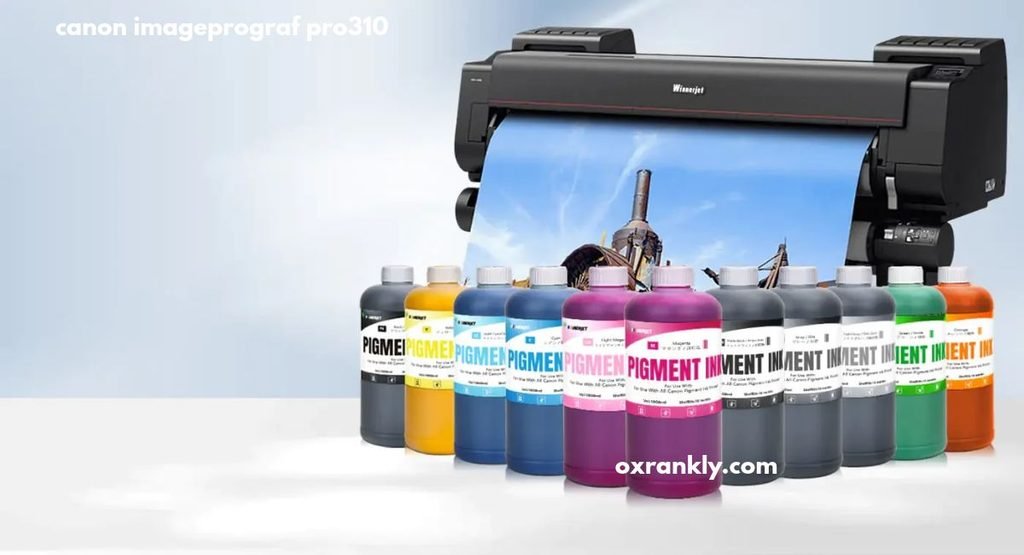
One of the biggest highlights of the canon imageprograf pro310 is its LUCIA PRO II pigment-based ink system.
Canon has equipped this printer with ten separate ink tanks. Nine contain pigment colours, while the remaining tank contains Chroma Optimizer.
The ten inks include:
- Matte Black
- Photo Black
- Grey
- Cyan
- Photo Cyan
- Magenta
- Photo Magenta
- Yellow
- Red
- Chroma Optimizer
This configuration allows the printer to reproduce a broad range of colours and handle different photographic requirements.
The presence of separate matte black and photo black inks is particularly useful. Different paper surfaces interact with black ink differently, and having dedicated black inks helps the printer produce suitable results across glossy and matte media.
The additional grey ink is valuable for monochrome photography because black-and-white images often require smooth transitions between highlights, midtones, and shadows.
Red ink also contributes to colour reproduction, particularly in photographs containing warm colours, skin tones, flowers, and other subjects with strong red elements.
Chroma Optimizer is another important part of the system. It helps create a more uniform surface appearance, particularly on glossy and semi-gloss paper, while helping reduce unwanted differences in reflected light.
Each PFI-5100 ink tank has a capacity of approximately 14.4 ml. However, actual ink consumption depends on image coverage, paper selection, print settings, and printing frequency. Canon U.S.A., Inc.+1
Print Resolution and Image Detail
Print resolution is one of the most important specifications when comparing professional photo printers.
The Canon PRO-310 supports a maximum printing resolution of up to 4800 x 2400 dpi. This specification allows the printer to reproduce detailed images with carefully controlled ink placement.
For professional photographers, image detail can make a noticeable difference in the final print. Small details in clothing, landscapes, architecture, facial features, and natural textures should remain visually clear when an image is printed at a larger size.
The printer uses Canon’s FINE print head technology, which stands for Full-photolithography Inkjet Nozzle Engineering.
Its print head features 7,680 nozzles in total, with 768 nozzles assigned to each of the ten ink channels. The minimum ink droplet size is four picolitres.
These technical features contribute to controlled ink distribution and detailed photographic output.
However, resolution alone does not determine the final quality of a photograph. The original image, colour profile, editing software, paper surface, and selected print settings also influence the result.
For the best experience, users should work with high-resolution photographs and choose appropriate paper profiles rather than relying entirely on the printer’s maximum resolution.
Colour Accuracy and Reproduction
Colour accuracy is especially important for photographers, graphic designers, and artists who need their printed work to represent their digital images.
A photograph may look impressive on a computer monitor but appear different when printed. Differences in display calibration, paper characteristics, lighting, and ink technology can influence the final appearance.
The ten-ink configuration of the PRO-310 is designed to help manage these challenges.
Its additional photo cyan and photo magenta inks provide more flexibility when reproducing subtle colour variations. Grey ink contributes to smoother monochrome transitions, while red ink expands the available colour reproduction capabilities.
For portrait photographers, accurate skin tones are particularly important. Small differences in colour can change the appearance of a photograph, so a printer designed for professional photography offers useful control over the final result.
Landscape photographers can also benefit from detailed colour reproduction when printing photographs containing blue skies, green vegetation, water, and natural textures.
Users who regularly prepare photographs for clients should also consider monitor calibration and the correct colour-management workflow. A high-quality printer cannot completely correct inaccurate colours in the original digital file.
Supported Paper Sizes and Media Types
Paper compatibility is another major advantage of this professional printer.
The Canon imagePROGRAF PRO-310 supports several paper sizes, allowing photographers to produce everything from small personal photographs to large presentation prints.
Supported sizes include:
| Paper size | Common use |
|---|---|
| 4 x 6 inches | Standard photographs |
| 5 x 7 inches | Portrait prints |
| 8 x 10 inches | Framed photography |
| 8.5 x 11 inches | Standard documents and images |
| 11 x 17 inches | Larger creative prints |
| 12 x 12 inches | Square photography |
| 13 x 19 inches | Professional photo prints |
| Panorama formats | Wide landscape photographs |
Custom paper lengths are also supported, with maximum length depending on the regional specification and paper-feeding configuration.
For example, Canon’s US specifications list custom printing up to 13 x 70 inches, while some other regional specifications advertise longer panorama capabilities. Buyers should check the specifications for their particular market before planning unusually long prints. Canon U.S.A., Inc.+2
The printer also supports different media surfaces, including:
- Glossy photo paper
- Semi-gloss photo paper
- Matte photo paper
- Premium fine-art paper
- Smooth fine-art paper
- Rough fine-art paper
- Selected greeting cards
- Photo stickers
- Printable discs
Each paper type creates a different visual appearance. Glossy paper can produce vibrant photographs, while matte paper offers a softer finish that may suit artistic photography.
Fine-art paper is particularly interesting for photographers who want to produce gallery-style prints.
Choosing the correct paper is essential because the same digital photograph can look noticeably different depending on the surface and material.
Borderless Photo Printing
Borderless printing is a useful feature for anyone who wants professional-looking photographs.
Traditional printing sometimes leaves white margins around the image. Although these margins can be useful for framing, they are not always desirable for modern photographic presentations.
The PRO-310 supports borderless photo printing across several compatible sizes, including formats up to 13 x 19 inches.
This capability makes it easier to produce photographs that extend to the edges of the paper.
Wedding photographers may find this feature useful for albums and client samples. Landscape photographers can use it to produce immersive images, while hobbyists can create personal photo collections.
Borderless printing is also useful for creative projects that require photographs with a clean and uninterrupted appearance.
Users should remember that borderless printing can involve slight image enlargement or cropping, depending on the selected paper size and printer settings. Checking the preview before printing can help avoid cutting off important details.
Printing Speed and Everyday Performance
Printing speed is an important consideration, particularly for photographers who regularly produce large numbers of images.
The Canon PRO-310 is designed primarily for photographic output rather than high-volume office printing.
According to Canon’s US specifications, an 8 x 10-inch bordered colour photograph takes approximately one minute and 45 seconds, while an 11 x 14-inch bordered colour photograph on A3+ paper takes approximately two minutes and 50 seconds under the stated test conditions.
Actual performance can vary depending on paper, image content, print quality settings, and regional testing standards. Canon U.S.A., Inc.+1
These speeds are reasonable for a dedicated photo printer, although users should not expect the same document-printing performance as an ordinary office inkjet machine.
For a photographer producing a few carefully prepared prints, quality may be more important than speed.
However, a business printing hundreds of photographs every day should evaluate whether the printer’s production capacity meets its requirements.
Connectivity and Wireless Printing
Modern printers need convenient connectivity options, particularly when users work across multiple devices.
The PRO-310 provides several connection methods, including Wi-Fi, Ethernet, and USB.
Wireless connectivity allows users to send print jobs without connecting their computers directly to the printer with a cable.
This can be useful in a photography studio where multiple computers or compatible mobile devices need access to the same printer.
Ethernet provides an alternative for users who prefer a wired network connection. This may be particularly useful in a workspace where consistent network connectivity is important.
USB connectivity offers another straightforward option for connecting a computer directly.
The printer also supports compatible mobile printing technologies and applications, including Canon PRINT, Apple AirPrint, and Mopria, subject to device and regional compatibility.
These features make the printing process more convenient for photographers who want to work from different devices.
Canon Professional Print & Layout Software
Software is an important part of professional photography because producing an excellent print involves more than pressing the print button.
Canon Professional Print & Layout is designed to help photographers manage printing tasks and prepare images for different paper formats.
It offers a dedicated workflow for compatible Canon professional printers.
Photographers can use the software to organise print settings, manage layouts, and work with colour-management options.
This can be useful when producing several photographs for a portfolio or preparing images for clients.
A carefully configured printing workflow can help reduce unwanted colour differences and minimise mistakes.
For users who regularly print photographs, learning how to use dedicated printing software can improve consistency and make the process easier to manage.
Black-and-White Photography Performance
Black-and-white photography requires a different approach from ordinary colour printing.
Without colour variations to attract attention, the quality of a monochrome image depends heavily on tonal depth, contrast, shadow detail, and smooth transitions between different shades of grey.
The PRO-310 includes dedicated black and grey inks that help it handle these requirements.
Its monochrome printing mode is designed for photographic work where users want greater control over black-and-white output.
The separate matte black and photo black inks also provide flexibility when working with different paper surfaces.
For portrait photographers, monochrome prints can create a timeless appearance. Landscape photographers may use black-and-white images to emphasise textures, lighting, and composition.
Fine-art photographers can also benefit from the ability to produce monochrome photographs on compatible matte and fine-art papers.
However, achieving the best results still requires appropriate image editing and paper selection.
Who Should Buy the Canon imagePROGRAF PRO-310
The printer is not designed for everyone. Its main strength is professional photographic output, which makes it more suitable for certain types of users.
Professional Photographers
Professional photographers who regularly deliver physical prints to clients may appreciate its colour capabilities and large-format printing support.
It can be useful for wedding photography, portrait photography, event photography, and commercial projects.
Photography Enthusiasts
People who enjoy photography as a hobby may find the printer attractive if they want to produce their own high-quality photographs.
Instead of relying entirely on external printing services, they can experiment with different paper surfaces and print sizes.
Fine-Art Artists
Artists who work with digital illustrations, photographic artwork, and creative compositions may benefit from the printer’s fine-art media compatibility.
The ability to print on selected textured and premium papers provides additional creative possibilities.
Graphic Designers
Graphic designers who need to produce photographic presentations and visual samples may find the printer useful.
Its large paper formats can accommodate projects that require more space than ordinary A4 printing.
Small Photography Studios
A small studio that produces limited quantities of professional photographs may also consider this model.
It offers a dedicated photographic printing solution without requiring the larger equipment associated with commercial print production.
Advantages of the Canon imagePROGRAF PRO-310
There are several reasons why this printer attracts attention from photography professionals and enthusiasts.
Professional Photo Quality
Its dedicated photographic ink system and high printing resolution make it suitable for producing detailed photographs. Users can create prints for portfolios, personal collections, and professional presentations.
Ten-Ink Configuration
The combination of nine pigment colours and Chroma Optimizer provides flexibility for different photographic requirements. Separate black inks and additional grey and red inks are particularly useful for specialised printing.
Large-Format Printing
Support for paper sizes up to 13 x 19 inches allows users to produce larger photographs without relying on an external printing service.
Multiple Paper Options
The printer supports glossy, matte, semi-gloss, and selected fine-art papers. This gives photographers more control over the appearance of their finished work.
Wireless Connectivity
Wi-Fi, Ethernet, and USB connections make it convenient to integrate the printer into different working environments.
Dedicated Printing Software
Canon Professional Print & Layout provides additional tools for managing photographic printing tasks and creating consistent results.
Chroma Optimizer Technology
The Chroma Optimizer helps improve surface uniformity and reduce bronzing effects on compatible glossy media.
Disadvantages and Limitations
Although the printer offers several professional features, buyers should understand its limitations before making a purchase.
Relatively High Running Costs
A ten-cartridge pigment ink system can become expensive to maintain. Users who print frequently need to consider the cost of replacement cartridges alongside the initial purchase price.
Ink consumption also varies depending on the photographs being printed. Images with large areas of colour may consume more ink than photographs with simpler compositions.
Large Physical Size
The printer requires a considerable amount of workspace. Its dimensions and weight may make it unsuitable for people with limited desk space.
Not Designed Primarily for Documents
Although it can print ordinary documents, this is not its main purpose. Users who regularly print large quantities of office paperwork may find a conventional office printer more practical.
No Built-In Scanner
The PRO-310 is a print-only machine. It does not provide the scanning and copying functions available in multifunction printers.
Anyone who needs to digitise photographs or documents will require a separate scanner.
Manual Duplex Printing
The printer does not offer automatic double-sided printing. Users who need printing on both sides of a sheet must manage the process manually.
Requires Appropriate Paper Selection
Professional photo printing depends heavily on the media being used. Choosing unsuitable paper or incorrect settings can reduce the quality of the finished image.
These limitations do not necessarily make the printer a poor choice. Instead, they highlight the importance of purchasing a machine that matches your actual printing requirements. RTINGS.com+1
Canon imagePROGRAF PRO 310 vs PRO 300
People considering the PRO-310 may also come across the older Canon imagePROGRAF PRO-300.
Both printers belong to Canon’s professional photo-printing range and are designed for users who prioritise photographic quality.
The PRO-310 builds on the PRO-300 platform with improvements to its ink technology and other printing capabilities.
One of the most important changes is the adoption of the LUCIA PRO II pigment ink system and PFI-5100 cartridges.
The updated Chroma Optimizer is also designed to improve the appearance of glossy prints and reduce bronzing.
Another consideration is long-format printing support. The PRO-310 provides additional flexibility for photographers interested in panoramic images.
For buyers comparing these models, the decision should depend on the difference in purchase price, availability of replacement cartridges, printing requirements, and the condition of the older machine.
An existing PRO-300 owner may not necessarily need to upgrade if the older printer already meets their needs. However, someone purchasing a new professional photo printer may find the updated ink technology attractive.
Canon imagePROGRAF PRO 310 vs PRO 1100
Another printer worth considering is the Canon imagePROGRAF PRO-1100.
Both models are designed for professional photographic printing, but they serve somewhat different requirements.
The PRO-310 is a 13-inch printer, making it suitable for photographers who primarily produce prints up to A3+ size.
The PRO-1100 belongs to a larger-format category and supports printing up to 17 inches wide.
This makes the larger model more appropriate for photographers who regularly produce oversized artwork and professional exhibition prints.
The main difference is therefore not simply image quality. Paper width, available workspace, printing requirements, and overall operating expenses are important considerations.
Someone who mainly produces 8 x 10-inch photographs and occasional 13 x 19-inch prints may find the PRO-310 more practical.
On the other hand, photographers who regularly need 17-inch-wide output may prefer the larger PRO-1100.
How to Set Up the Printer
Setting up a professional photo printer correctly is important for obtaining reliable results.
Although the installation process is relatively straightforward, users should follow the manufacturer’s instructions carefully.
Choose a Suitable Location
Place the printer on a stable, level surface with sufficient space around it.
Avoid placing it in an environment with excessive dust, moisture, or direct sunlight. Proper ventilation and comfortable access to the paper trays are also important.
Install the Ink Tanks
Install the compatible PFI-5100 ink tanks according to the instructions.
Check that each cartridge is placed in its correct position. Using the wrong ink type or an incompatible cartridge can create problems.
Load the Paper
Choose the paper type you want to use and load it through the appropriate feeding mechanism.
Make sure the paper is positioned correctly to reduce the risk of feeding problems or misalignment.
Install the Printer Software
Download the appropriate printer drivers and supported software for your operating system.
Follow the installation instructions and connect the printer through Wi-Fi, Ethernet, or USB.
Configure Printing Preferences
Select the correct paper size, media type, colour settings, and print quality.
For professional work, make sure the selected paper profile matches the actual paper being used.
Perform a Test Print
Before printing an important photograph, produce a test image.
Check colour reproduction, sharpness, alignment, and overall appearance. If necessary, adjust the settings before producing the final version.
Maintenance Tips for Long Term Performance
Professional photo printers need regular attention to maintain consistent performance.
The PRO-310 includes anti-clogging technology and print-head monitoring features, but users should still follow good maintenance practices.
Print regularly: Leaving a printer unused for extended periods can increase the likelihood of ink-related maintenance issues. Printing occasionally helps keep the system in regular use.
Use compatible ink: Choose the correct PFI-5100 cartridges and avoid unsuitable replacement products.
Keep the printer clean: Dust and debris around paper-feeding areas can affect printing performance. Keep the external surfaces and accessible areas clean.
Store paper properly: Keep photographic paper in its original packaging and away from humidity and excessive heat.
Check ink levels: Monitor cartridge levels before starting important printing projects. Running out of ink during a job can interrupt your workflow.
Follow maintenance instructions: Use the printer’s built-in maintenance functions when necessary, rather than repeatedly running cleaning procedures without a reason.
Update printer software: Keep compatible drivers and firmware up to date to maintain proper communication with connected devices.
These simple practices can help users maintain a more consistent printing experience.
Is the Canon imagePROGRAF PRO-310 Worth Buying
Whether this printer is worth buying depends on how you intend to use it.
For photographers who want detailed photographs, professional-looking colour reproduction, and flexible paper compatibility, it offers a compelling combination of features.
Its pigment-based ink system is particularly appealing to users who want to produce photographic and fine-art prints rather than ordinary office documents.
The support for large paper formats is another important advantage. Being able to create photographs up to 13 x 19 inches gives photographers more flexibility when preparing portfolios, presentations, and framed artwork.
However, the printer is not necessarily the best option for casual users.
Someone who only needs occasional black-and-white documents or simple colour prints may not benefit from investing in a dedicated professional photo printer.
The ongoing cost of replacement ink should also be considered. Before purchasing, buyers should compare the price of compatible cartridges and genuine photographic paper in their local market.
For someone who prints photographs regularly and values quality over speed, the PRO-310 can be a worthwhile investment.
Understanding Ink Costs and Replacement Cartridges
Ink expenses are an important part of owning any professional photo printer.
The PRO-310 uses ten individual PFI-5100 ink tanks. This arrangement allows users to replace individual colours rather than replacing an entire combined cartridge whenever one colour runs out.
However, maintaining ten cartridges requires careful budgeting.
Before purchasing the printer, buyers should investigate the availability and local prices of genuine replacement cartridges. Availability can differ between countries, so it is worth checking whether the required ink is readily available in your area.
Another consideration is the type of photographs being printed. Colourful landscapes, detailed portraits, and heavily saturated artwork may consume ink differently.
Photographers who produce prints for customers should calculate ink and paper expenses when determining their printing prices.
Using suitable paper profiles and selecting appropriate quality settings can also help avoid unnecessary reprints.
Tips for Getting Better Printing Results
Getting excellent results from the PRO-310 requires more than choosing the highest available print-quality setting.
Here are some practical suggestions for improving your photographs.
Use high-resolution photographs: Start with original image files that contain sufficient detail. Avoid repeatedly compressing photographs before printing.
Calibrate your monitor: A properly calibrated display can help reduce differences between what you see on your computer and what appears on paper.
Select the correct paper profile: Different papers have different colour and surface characteristics. Always choose the appropriate media setting.
Edit photographs carefully: Adjust exposure, contrast, white balance, and colour before printing.
Use test prints: When preparing an important image, print a smaller sample first to check whether the result matches your expectations.
Choose suitable paper finishes: Glossy paper can be effective for vibrant photographs, while matte and fine-art paper can create a more subtle artistic presentation.
Allow prints to settle: Follow the paper manufacturer’s recommendations for handling and drying prints before placing them in protective sleeves or frames.
These techniques can help photographers achieve more consistent results and reduce wasted materials.
Frequently Asked Questions
What is the Canon imagePROGRAF PRO-310 used for
The printer is primarily designed for professional photo printing, fine-art photography, gallery prints, and creative projects. It is suitable for photographers and artists who need detailed photographs and flexible paper compatibility.
Does the Canon imagePROGRAF PRO-310 support wireless printing
Yes. It supports wireless networking, allowing compatible computers and mobile devices to send print jobs without requiring a direct USB connection.
What is the maximum paper size supported
The printer supports paper sizes up to 13 x 19 inches (A3+). It also supports compatible custom and panoramic formats.
How many ink cartridges does the printer use
It uses ten separate PFI-5100 ink tanks. These consist of nine pigment colours and one Chroma Optimizer cartridge.
Is the Canon imagePROGRAF PRO-310 good for professional photography
Yes. Its dedicated pigment ink system, high printing resolution, and photographic paper compatibility make it suitable for professional photography applications.
Can it print borderless photographs
Yes. The printer supports borderless printing on compatible paper sizes, including formats up to 13 x 19 inches.
Does the printer have a scanner
No. The PRO-310 is designed specifically as a printing device and does not include a built-in scanner or copier.
Is it suitable for everyday office printing
It can print documents, but its main purpose is photographic printing. People who regularly produce large quantities of ordinary documents may prefer a dedicated office printer.
What software works with the printer
Canon provides compatible printer drivers and Professional Print & Layout software. Supported mobile printing options include Canon PRINT, Apple AirPrint, and Mopria, depending on device compatibility.
Is the Canon imagePROGRAF PRO-310 expensive to maintain
Maintenance costs can be relatively high compared with ordinary home printers because it uses ten individual pigment ink tanks. Replacement ink and specialist photographic paper should be included in the overall ownership budget.
Final Verdict Is the Canon imagePROGRAF PRO 310 a Good Photo Printer
The canon imageprograf pro310 is an interesting option for photographers, artists, and creative professionals who want greater control over their photographic printing.
Its LUCIA PRO II pigment ink technology, ten-ink configuration, high printing resolution, and support for different paper surfaces make it suitable for producing detailed photographs and creative artwork.
The ability to print borderless images up to 13 x 19 inches is another major advantage, particularly for people who prepare portfolios, framed photographs, and professional presentations.
Its wireless connectivity and dedicated printing software also provide useful flexibility for modern photography workflows.
Nevertheless, potential buyers should consider its relatively large footprint, ink replacement expenses, lack of scanning functionality, and limited suitability for high-volume document printing.
Ultimately, this printer makes the most sense for people who genuinely value photographic quality and intend to use its specialised features. For occasional document printing, a more affordable multifunction printer may be a better choice.
For photographers who want to bring professional photo printing into their own workspace, the Canon imagePROGRAF PRO-310 deserves serious consideration.