

Introduction
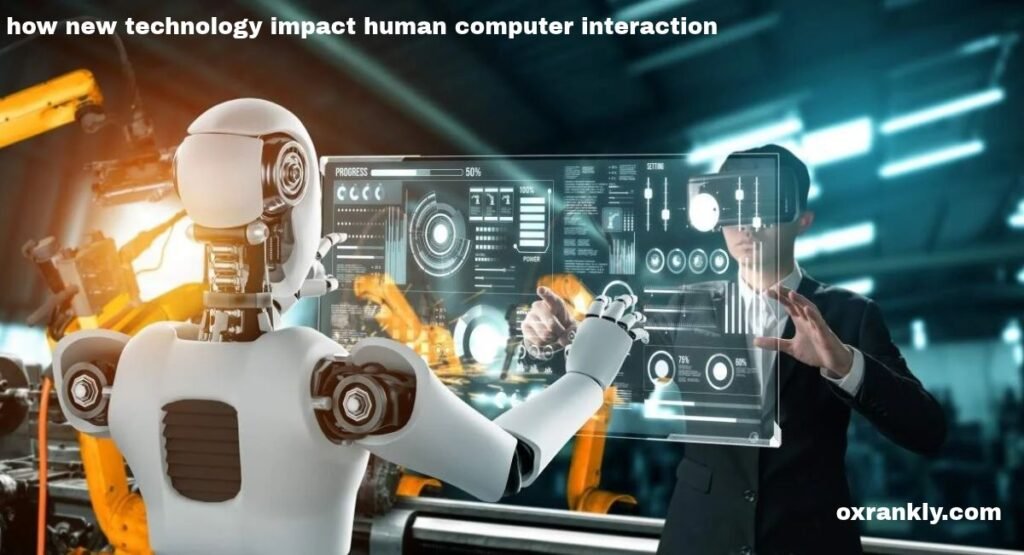
Technology has changed the way people communicate with computers, smartphones, tablets, and other digital devices. In the past, interacting with a computer usually required a keyboard, a mouse, and a basic understanding of computer commands. Today, people can speak to virtual assistants, control devices through gestures, interact with digital environments, and use artificial intelligence to complete tasks more efficiently. These developments have transformed human-computer interaction and made technology an important part of everyday life.
Understanding how new technology impact human computer interaction helps explain why modern digital experiences are becoming more intelligent, accessible, personalized, and convenient. Human-computer interaction, commonly known as HCI, is the study of how people interact with computer systems and how those systems can be designed to meet human needs. It combines elements of computer science, psychology, design, engineering, and communication to create digital products that are easier to understand and use.
New technologies continue to change the relationship between people and machines. Artificial intelligence can understand certain user requests, voice recognition allows hands-free communication, and augmented reality creates interactive experiences that combine digital information with the physical world. At the same time, these innovations introduce challenges involving privacy, security, accessibility, and the responsible use of personal information.
This article explores how emerging technologies influence human-computer interaction, the benefits they provide, the challenges they create, and the ways they may shape the future of digital communication.
What Is Human Computer Interaction
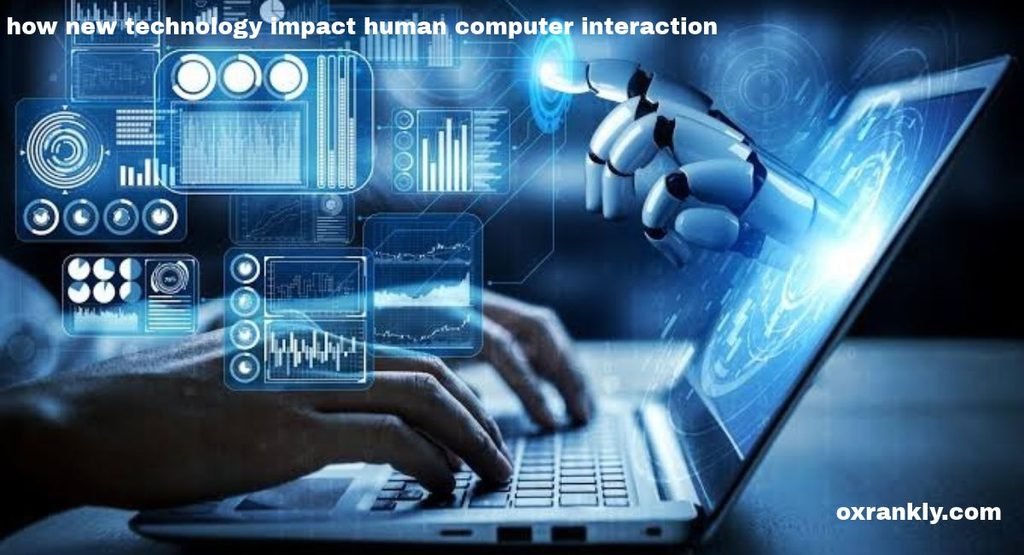
Human-computer interaction refers to the study, design, and evaluation of interactions between people and computer systems. Its main purpose is to make technology useful, understandable, efficient, and comfortable for the people who depend on it. HCI professionals examine how users navigate websites, operate applications, interact with software, and complete tasks using digital devices.
A well-designed computer system should allow users to accomplish their goals without unnecessary confusion. For example, an online shopping website should make it easy to find products, compare prices, add items to a cart, and complete a purchase. Similarly, a banking application should present financial information clearly and allow customers to perform transactions safely.
Traditional human-computer interaction depended heavily on physical input devices. Keyboards and mice allowed users to enter commands and navigate graphical interfaces. Over time, touchscreens, voice commands, facial recognition, and motion sensors introduced additional ways to communicate with digital systems.
Modern HCI focuses on understanding human behavior and adapting technology to different needs. Designers consider factors such as attention, memory, physical abilities, language, emotions, and previous experience. These considerations help create systems that are easier to learn and more satisfying to use.
As technology continues to develop, human-computer interaction is moving beyond simple commands and responses. Computers increasingly recognize patterns, interpret context, and provide assistance based on the information available to them.
How New Technology Impact Human Computer Interaction in Everyday Life
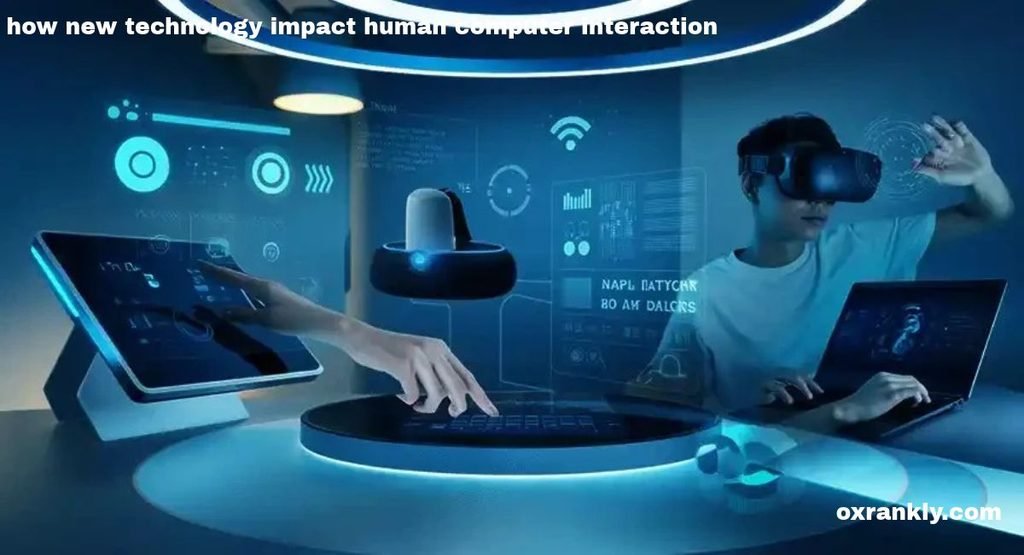
The influence of emerging technology can be seen in almost every aspect of modern life. People use digital systems to study, work, communicate, shop, travel, and manage household activities. These systems have become more interactive because users can communicate with them through several different methods.
Smartphones provide a clear example of this transformation. A single device can support voice calls, video meetings, navigation, photography, online banking, entertainment, and educational activities. Touchscreens allow users to interact directly with digital content, while built-in sensors support features such as automatic screen rotation and location-based services.
Artificial intelligence also makes everyday interactions more flexible. Some applications can suggest relevant information, summarize documents, answer questions, or help users organize their schedules. Rather than navigating multiple menus for every task, people may be able to describe what they want in ordinary language.
Smart home systems offer another example. Users can control lighting, heating, entertainment systems, and other connected devices through applications or voice commands. These systems demonstrate how technology can reduce the number of physical steps required to complete routine activities.
However, convenience depends on thoughtful design. If an application misunderstands commands, displays confusing messages, or requires unnecessary permissions, the interaction can become frustrating. New technology improves HCI most effectively when it solves genuine user problems instead of adding complexity.
The Role of Artificial Intelligence in Human-Computer Interaction
Artificial intelligence is one of the most significant developments influencing modern HCI. AI systems can analyze information, recognize patterns, generate responses, and support certain tasks that previously required more direct human input.
Traditional software generally follows predefined instructions. Although modern software can be highly sophisticated, many systems still depend on users selecting specific options or entering information in expected formats. AI-powered interfaces can offer a more flexible approach by interpreting natural-language requests and responding in ways that fit the task.
For example, a student may use an AI assistant to explain a difficult concept in simpler language. A professional may ask an AI tool to organize meeting notes, while a customer may interact with an automated support assistant to find answers to common questions.
Personalization is another important benefit. AI systems can sometimes adapt recommendations, interface layouts, or suggested actions based on previous interactions and available user preferences. This can reduce the effort required to locate relevant information.
Nevertheless, artificial intelligence does not always understand users correctly. It may misunderstand an instruction, provide inaccurate information, or generate a response that appears confident despite being wrong. Designers must therefore provide clear feedback, allow users to correct mistakes, and make it easy to reach human assistance when necessary.
The best AI-powered interfaces support human judgment rather than replacing it in every situation. Users should understand when they are interacting with an automated system and retain appropriate control over important decisions.
Voice Recognition and Conversational Interfaces
Voice recognition has changed the way people communicate with computers. Instead of typing every instruction, users can speak to digital assistants and applications. Speech recognition converts spoken words into information that a computer system can process.
Conversational interfaces allow users to ask questions, request information, and complete selected tasks through spoken or written language. This approach can make technology more convenient for people who are driving, cooking, working with their hands, or experiencing difficulty using a keyboard.
Voice interaction can also benefit users who have certain visual impairments or physical disabilities. Speaking a command may be easier than navigating a complicated interface with small buttons and multiple menus.
For example, a user may ask a digital assistant to set a reminder, check the weather, play music, or start a timer. In customer service, conversational systems can help users locate information without searching through lengthy menus.
However, voice recognition still presents challenges. Background noise, regional accents, pronunciation differences, and unfamiliar words can affect accuracy. Some systems may also struggle to understand people who speak less common languages or use specialized vocabulary.
Privacy is another important consideration because voice-enabled devices may process sensitive information. Users should have clear controls for microphone permissions, recording history, and data retention.
Effective conversational interfaces must also recognize when they cannot help. A clear explanation or alternative method is better than repeatedly misunderstanding a user’s request.
Touchscreens and Gesture Based Interaction
Touchscreens transformed computer interaction by allowing users to manipulate digital objects directly. Instead of controlling a pointer with a mouse, people can tap icons, swipe between screens, pinch to zoom, and drag objects into different positions.
This direct interaction is especially useful on smartphones, tablets, information kiosks, and interactive displays. Many touchscreen interfaces are relatively easy to learn because their actions resemble familiar physical movements.
Gesture-based interaction extends this idea by allowing systems to recognize movements made with hands, fingers, or the body. Cameras and motion sensors can detect certain gestures and translate them into digital commands.
In entertainment, gesture controls can support interactive games and immersive experiences. In professional environments, they may allow users to manipulate visual information without touching a physical screen. Some accessibility applications also use gestures to offer alternative methods of controlling devices.
Despite these advantages, gesture recognition requires careful implementation. Users need to understand which gestures are available and whether the system has recognized their actions. Unclear gestures may cause accidental commands, while repeated arm movements can create physical discomfort.
Designers should avoid making gestures the only way to complete an essential task. Providing visible controls and alternative input methods helps ensure that interfaces remain practical for different users.
Virtual Reality and Augmented Reality


Virtual reality and augmented reality are changing how people experience digital information. Virtual reality, or VR, places users inside a computer-generated environment. Augmented reality, or AR, adds digital elements to the user’s view of the physical world.
These technologies expand human-computer interaction beyond conventional screens. Instead of looking at a flat image, users may explore a three-dimensional environment, move around virtual objects, and interact with digital information through body movements or specialized controllers.
In education, virtual reality can support simulated laboratory activities, historical experiences, and technical training. Students may explore a virtual environment that would otherwise be difficult, expensive, or dangerous to access.
Augmented reality can provide practical guidance during maintenance, product demonstrations, or interior design. For example, a user may preview how furniture could look in a room before purchasing it. In certain industrial settings, AR displays can provide instructions alongside physical equipment.
These technologies also present challenges. VR equipment may be expensive, and some users experience discomfort, eye strain, or motion sickness. AR applications need to display digital information without distracting users from important details in their surroundings.
Successful immersive interfaces must balance realism with comfort, safety, and usability. They should help users understand or accomplish something meaningful rather than relying on visual effects alone.
Wearable Technology and Human Interaction
Wearable technology includes smartwatches, fitness trackers, smart glasses, and other devices designed to be worn on the body. These products create new opportunities for interaction because they make digital information available without requiring users to reach for a smartphone or sit in front of a computer.
Smartwatches can display notifications, calendar reminders, navigation instructions, and activity information. Some devices also provide health-related measurements, depending on their sensors and capabilities. Users can review selected information quickly and respond to certain notifications directly from their wrists.
Wearables often rely on short interactions. Small screens encourage designers to display essential information instead of presenting lengthy menus. This can make specific tasks faster, although it may also limit the amount of detail users can comfortably review.
Smart glasses may eventually support more hands-free activities by presenting contextual information within the user’s field of view. For example, a worker might receive instructions while keeping their hands available for a task.
Wearable technology must be designed around comfort, battery life, privacy, and reliability. Devices that deliver excessive notifications can interrupt attention and increase stress. Users also need control over which information appears on their devices and who can access collected data.
The most useful wearables provide relevant information at appropriate moments without demanding constant attention.
Personalization and Adaptive User Interfaces
Personalization is another major development in human-computer interaction. Modern applications can sometimes adjust their content, recommendations, and settings according to user preferences, previous activity, language, or accessibility needs.
A streaming service may recommend films based on viewing history. An online store may display products related to previous searches, while a learning application may suggest exercises based on a student’s performance.
Adaptive interfaces can also help users with different abilities. Text size, contrast, keyboard navigation, and simplified layouts can be adjusted to support individual requirements. When these options are implemented properly, people can interact with technology in ways that suit their circumstances.
Personalization may reduce the time users spend searching for relevant content. It can also make complex systems feel more familiar by remembering preferred settings and frequently used functions.
However, personalization can become intrusive when systems collect excessive information or make assumptions about users. Recommendations may also narrow the range of information people encounter, creating repetitive experiences.
Users should be able to change their preferences, disable unnecessary personalization, and understand how their information is being used. Good adaptive design provides useful assistance without removing meaningful choice.
Accessibility and Inclusive Human-Computer Interaction
Accessibility is a fundamental part of effective human-computer interaction. Technology should be designed to accommodate people with different physical, sensory, cognitive, and communication needs.
Modern tools offer several ways to improve accessibility. Screen readers can read digital text aloud, captions can make audio content more accessible, and speech-to-text tools can convert spoken language into written words. Voice control, keyboard navigation, magnification, and adjustable display settings can provide additional options.
Artificial intelligence may improve some accessibility experiences through automatic captioning, image descriptions, language assistance, and speech processing. These features can help users access information that might otherwise be difficult to understand or navigate.
For example, captions can help people who are deaf or hard of hearing follow online videos. A screen reader can allow a blind user to navigate a website, provided that the website uses meaningful labels and a logical structure.
Accessibility is not achieved simply by adding one feature. Designers must consider the entire user journey, including account creation, navigation, error messages, forms, payments, and customer support.
Testing with people who have different abilities is particularly valuable. A feature that works in theory may still create difficulties in everyday use.
Inclusive design benefits a wider audience as well. Clear instructions, readable text, predictable navigation, and flexible input methods can make digital products easier for nearly everyone.
The Impact of New Technology on Education
Education has become increasingly interactive through digital classrooms, learning management systems, virtual simulations, and AI-assisted study tools. These technologies give students new ways to access information, practice skills, and communicate with teachers.
Interactive learning applications can combine text, images, audio, video, and exercises. Instead of reading an explanation alone, students may complete a simulation or receive immediate feedback after answering a question.
Artificial intelligence can provide additional explanations, generate practice questions, and help learners identify topics that require more attention. When used responsibly, these tools can complement traditional teaching and support independent learning.
Virtual and augmented reality can make certain lessons more engaging. Students may explore three-dimensional scientific models or practice technical procedures in simulated environments.
However, technology cannot automatically guarantee better educational outcomes. Students may become distracted, depend too heavily on automated answers, or encounter inaccurate information. Unequal access to devices and reliable internet connections can also create barriers.
Teachers remain important because they guide learning, assess understanding, encourage critical thinking, and provide human support. The strongest educational systems combine useful technology with effective teaching practices and opportunities for direct interaction.
Human Computer Interaction in Business and the Workplace
Businesses use modern HCI principles to improve productivity, customer service, collaboration, and decision-making. Employees increasingly rely on digital dashboards, cloud applications, project management tools, and communication platforms to coordinate their work.
Well-designed workplace software reduces unnecessary steps and makes important information easier to find. For example, a project management system can display responsibilities, deadlines, progress, and outstanding tasks in a consistent interface.
AI-powered systems can assist with summarizing documents, searching internal information, organizing data, and drafting routine communications. Automated customer service tools can answer common questions and direct more complex cases to human representatives.
Remote work has also increased the importance of accessible communication interfaces. Video conferencing, shared documents, and collaborative workspaces allow employees to contribute from different locations.
Nevertheless, workplace technology can introduce problems when applications are difficult to use or employees must switch constantly between disconnected systems. Excessive notifications and poorly designed monitoring tools can also affect concentration and trust.
Businesses should evaluate technology according to its real impact on employees and customers. Training, clear procedures, user feedback, and strong privacy protections help ensure that digital tools improve work instead of creating additional burdens.
The Role of Internet of Things in Human-Computer Interaction
The Internet of Things, commonly called IoT, connects physical devices to networks so they can exchange information and support automated actions. Examples include smart thermostats, connected security systems, industrial sensors, and certain household appliances.
IoT changes HCI because users may interact with several connected devices through one application or control system. Rather than operating each device separately, people can monitor status information, adjust settings, and create automated routines.
A smart home system might allow users to manage lighting and temperature from a central interface. In industrial environments, connected sensors can provide information about equipment performance and help workers identify maintenance needs.
These systems can make everyday tasks more convenient, but they also increase complexity. Users need to understand which devices are connected, what information they collect, and what happens when internet access is interrupted.
Security is especially important because poorly protected connected devices may expose networks or personal information to unauthorized access. Manufacturers should provide secure defaults, timely updates, and clear controls.
A good IoT interface should show the current state of connected devices, explain important automated actions, and allow users to override settings when necessary. Automation works best when people can understand and control it.
The Importance of User Experience and Interface Design
New technology alone does not guarantee a successful digital product. User experience, often called UX, describes how people perceive and experience a product while interacting with it. User interface design, or UI design, focuses more directly on the visual and interactive elements through which that interaction takes place.
Both areas are closely connected to human-computer interaction. A powerful application may still fail if its buttons are confusing, its navigation is inconsistent, or its error messages do not explain how to recover.
Good interface design uses clear labels, recognizable symbols, readable typography, consistent layouts, and helpful feedback. Users should understand what an action will do and receive confirmation when an important action succeeds.
For example, a payment application should clearly display the amount being transferred and provide a meaningful confirmation after the transaction. A form should explain what information is missing instead of forcing the user to guess why submission failed.
Designers often test interfaces with real users to identify problems before a product is released. Usability testing can reveal where people become confused, which functions are difficult to locate, and which tasks take too long.
As new technologies become more advanced, these basic design principles remain essential. The goal is not simply to create an impressive interface but to make the technology useful, reliable, and understandable.
Privacy and Security Challenges in Modern HCI
As digital systems become more personalized and connected, privacy and security become increasingly important. Applications may process location information, voice recordings, browsing activity, facial data, or other personal information depending on their features.
Collecting information can sometimes improve functionality, but excessive data collection can expose users to unnecessary risks. People should understand what information a system collects, why it is needed, and how it may be shared or stored.
Biometric technologies, such as facial recognition and fingerprint authentication, illustrate this balance. They can make access more convenient, but their use requires careful security and privacy protections.
AI systems introduce additional questions about transparency and accountability. Users may not know why an automated system made a recommendation, rejected a request, or produced a particular result. In sensitive settings, unclear decisions can undermine trust.
Designers can improve confidence by providing understandable privacy settings, secure authentication, clear permission requests, and accessible explanations of automated behavior. Organizations should also minimize unnecessary data collection and protect information throughout its lifecycle.
Security should be considered from the beginning of product development rather than added only after problems appear. A convenient interface is not truly successful if it exposes users to preventable harm.
The Psychological Impact of New Technology on Users
Human-computer interaction is not only about buttons, screens, and commands. It also involves human attention, motivation, emotions, and behavior. The design of digital systems can influence how people feel and how they make decisions.
Helpful technology may reduce frustration by simplifying repetitive tasks. Clear navigation and timely feedback can give users confidence, while personalized learning tools can help people progress at a comfortable pace.
On the other hand, poorly designed interfaces may increase stress. Constant notifications, complicated settings, and endless streams of recommendations can make it difficult to concentrate. Some applications encourage repeated checking through alerts and reward systems that compete for attention.
Automation can also affect confidence. When users depend on a system to make every decision, they may have fewer opportunities to practice certain skills. When a system fails, they may struggle to complete the task independently.
Designers should therefore consider the wider effects of their products. Useful controls include notification management, quiet modes, clear stopping points, and understandable explanations of automated recommendations.
Technology should support human well-being rather than treating maximum engagement as the only measure of success. A good digital experience respects users’ time, attention, and ability to make independent choices.
Challenges of Integrating New Technologies into HCI
Although emerging technologies offer significant benefits, introducing them into everyday systems can be difficult. One challenge is cost. Advanced sensors, immersive devices, specialized software, and ongoing maintenance may be too expensive for some individuals or organizations.
Another challenge is the learning curve. People who are unfamiliar with a new interface may require training or additional guidance. If a system changes too quickly, users can lose confidence or struggle to complete familiar tasks.
Compatibility is also important. New devices and applications do not always work smoothly with older equipment or existing systems. Organizations may need to update infrastructure before adopting new technology effectively.
Reliability creates further difficulties. Voice assistants may misinterpret requests, internet-connected devices may lose connectivity, and automated systems may provide incorrect results. Users need practical ways to correct mistakes and complete tasks when technology fails.
There are also ethical considerations. Automated recommendations can reflect biases in their training data, while systems that rely on facial or voice recognition may perform differently across user groups.
Successful integration requires realistic testing, user education, reliable support, and ongoing evaluation. Organizations should identify the problems a technology is intended to solve before investing in it.
Future Trends in Human-Computer Interaction
The future of human-computer interaction will likely involve increasingly natural, adaptive, and context-aware ways of communicating with digital systems. Several developments are already influencing the direction of interface design.
More Natural Communication With AI
AI assistants may become better at understanding complex instructions, maintaining context within a task, and helping users move between different applications. This could reduce the need to memorize commands or navigate multiple menus.
However, better language processing will not eliminate mistakes. Clear controls, verification steps, and appropriate human oversight will remain important.
More Immersive Digital Experiences
Virtual and augmented reality may expand in education, training, entertainment, design, and professional collaboration. Improved hardware and more comfortable interfaces could make immersive systems practical for additional activities.
Their success will depend on accessibility, affordability, comfort, and genuine usefulness.
Context-Aware Interfaces
Future interfaces may adapt to a user’s immediate situation, such as the device being used, the current task, or a chosen accessibility preference. For example, a system might present simpler controls on a small screen or offer hands-free interaction when the user enables it.
Context-aware features should remain transparent and avoid collecting unnecessary information.
Improved Accessibility
Advances in speech processing, captions, assistive interfaces, and adaptable input methods may help more people participate in digital activities. Inclusive design is likely to become even more important as technology enters additional areas of daily life.
Greater Attention to Trust and Human Control
As automation becomes more capable, designers will need to make systems easier to understand and correct. People should know when an action is automated, how to change settings, and how to recover when something goes wrong.
The future of HCI will not be determined by technological capability alone. It will also depend on how effectively products serve different people, protect their information, and support meaningful human decisions.
How Businesses and Developers Can Improve Human Computer Interaction
Businesses and developers can improve digital experiences by treating usability as an essential part of product development. Instead of assuming that users will understand a new system, teams should study their needs and observe how they interact with prototypes.
First, developers should define the main tasks users need to complete. This helps prevent interfaces from becoming overloaded with features that provide little practical value.
Second, teams should use clear language and predictable navigation. Familiar terms, visible controls, and helpful feedback make interfaces easier to learn.
Third, products should provide alternatives for important actions. A voice command should not be the only way to complete an essential task if a button or keyboard option could also be provided.
Fourth, developers should test their products with different users and devices. Feedback from people with varied abilities, levels of experience, and technical environments can reveal problems that internal teams may overlook.
Finally, teams should review performance after launch. Usage patterns, support requests, error reports, and user feedback can help identify areas that need improvement. Privacy and security should remain central throughout this process.
These practices help organizations use new technology to create meaningful improvements rather than introducing unnecessary complexity.
Conclusion
Understanding how new technology impact human computer interaction reveals how rapidly the relationship between people and digital systems is changing. Artificial intelligence, voice recognition, touchscreens, virtual reality, augmented reality, wearable devices, and connected systems have created new ways for users to communicate with computers and access information.
These developments can make technology more convenient, accessible, personalized, and efficient. They can support education, improve workplace collaboration, simplify everyday activities, and help people complete tasks that once required more time or specialized knowledge.
However, new technology also introduces challenges involving privacy, security, accessibility, reliability, and human well-being. Automated systems can make mistakes, interfaces can become confusing, and excessive data collection can undermine trust. These issues demonstrate why technological progress must be accompanied by thoughtful design and responsible development.
The most effective human-computer interaction places people at the center of the experience. Digital systems should be easy to understand, provide meaningful choices, respect personal information, and accommodate different abilities. They should also allow users to correct errors and retain control over important decisions.
Ultimately, the future of human-computer interaction depends on more than building faster or more intelligent machines. It depends on creating technology that understands human needs, supports real-world goals, and improves the way people live, learn, communicate, and work. When innovation is combined with usability, accessibility, and trust, new technology can make digital experiences more valuable for individuals and society as a whole.




Pingback: Technology Now How Modern Technology Is Changing the World in 2026 - oxrankly.com